Manual setup for a minimal Storybook
How to setup storybook manually with the minimal packages and configuration.
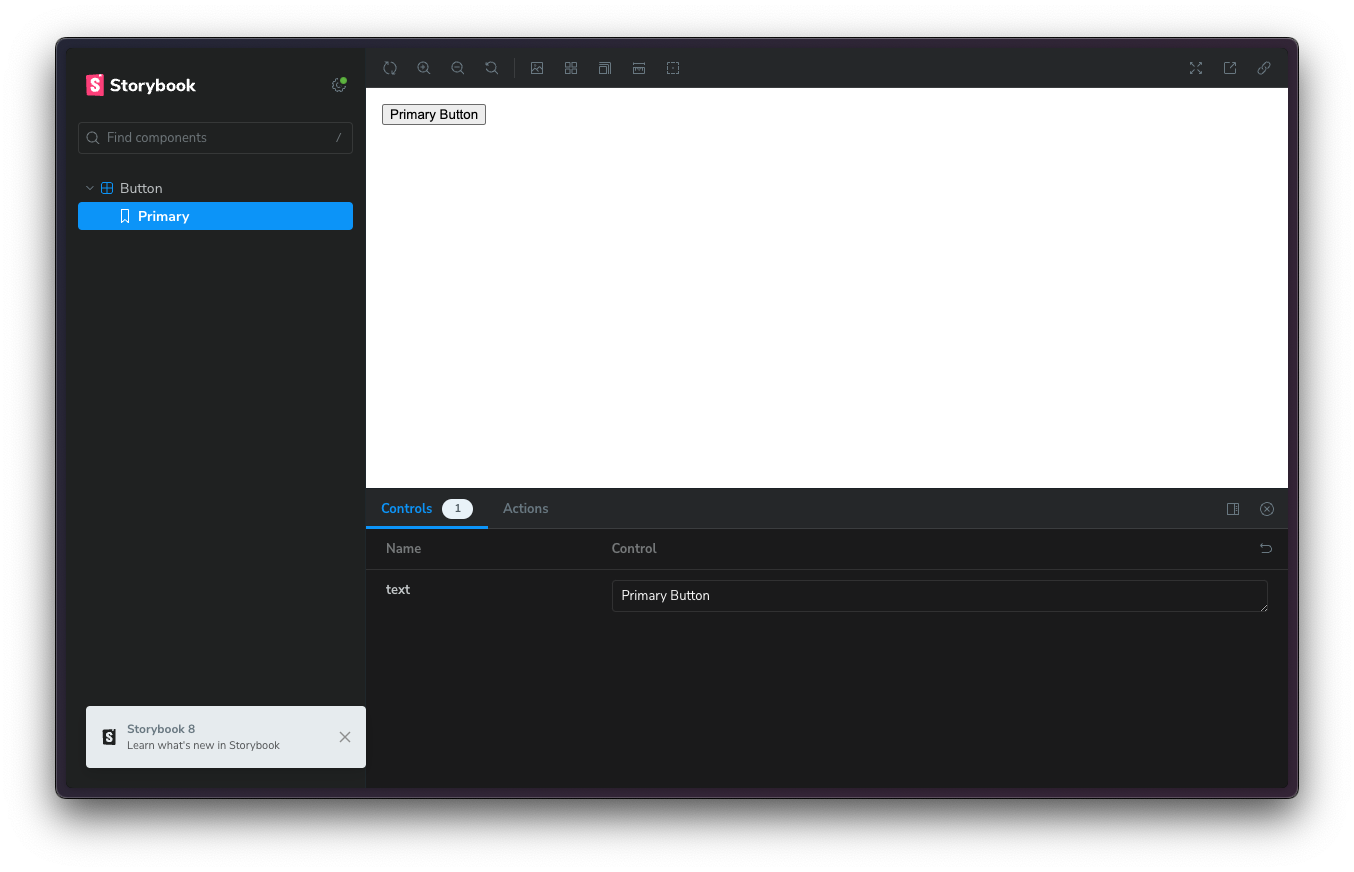
If you’re having issues with the cli or you just want to know what you’re installing then this is for you. I’ve put together what I consider the minimal setup. From there you can browse addons and docs to see how to enhance your setup.
Heres a video of me following the same steps:
I’ll use bun here but replace with any package manager.
Also this example uses react with vite. If you’re using a different framework you can swap @storybook/react and @storybook/react-vite for the alternative.
Packages
Heres the minimal packages you’ll need to get started with a react storybook.
bun add @storybook/react @storybook/react-vite @storybook/addon-essentials storybookScripts
Add to your scripts in package.json
"storybook": "storybook dev -p 6006",
"build-storybook": "storybook build"
Configuration files
Add a .storybook folder with a main.ts and preview.ts.
main.ts
// .storybook/main.ts
import type { StorybookConfig } from "@storybook/react-vite";

const config: StorybookConfig = {
  stories: ["../src/**/*.mdx", "../src/**/*.stories.@(js|jsx|mjs|ts|tsx)"],
  addons: ["@storybook/addon-essentials"],
  framework: {
    name: "@storybook/react-vite",
    options: {},
  },
  docs: {
    autodocs: "tag",
  },
};
export default config;
preview.ts
Start here to learn about the preview
// .storybook/preview.ts
import type { Preview } from "@storybook/react";

const preview: Preview = {
  parameters: {
    controls: {
      matchers: {
        color: /(background|color)$/i,
        date: /Date$/i,
      },
    },
  },
};

export default preview;
Example story
Lets add a component file
// src/Button.tsx
export const Button = ({ text }: { text: string }) => {
  return <button>{text}</button>;
};
Then we create a stories file and import it there.
Look here to learn about writing stories
// src/Button.stories.tsx
import { Button } from "./Button";

export default {
  component: Button,
};

export const Primary = {
  args: {
    text: "Primary Button",
  },
};
Run it!
Now run this to see your storybook in action.
bun run storybookThe final product should look like this:

All done!
Thats the basics, now I recommend you explore the docs to learn more about how to customize storybook for your needs. Especially look into interactions they are really nice.
Find me here: twitter: @Danny_H_W github: dannyhw